Cloud Digital Signage for Small Businesses: No Server, Budget and Getting Started

Is cloud digital signage right for a small business?
Yes. For a business with a few screens, no IT staff and a reliable internet connection, cloud digital signage is usually the fastest and cheapest way to start: there is no server to buy, you design and schedule content in a browser, and you pay a monthly fee that grows with the number of screens.
GO CAYIN is CAYIN’s cloud digital signage platform. It has a free plan, ready-made templates and the CAYIN Signage Player app, which turns Smart TVs, tablets and PCs you already own into signage screens.
Why does cloud digital signage suit small businesses?
- No server: the software runs on the provider’s servers, so there is nothing to install, back up or update.
- Manage from anywhere: change a menu or a promotion from a browser at the office or at home.
- Use screens you already have: many Smart TVs and tablets can play content with an app, so you may not need to buy a player.
- No design skills needed: start from templates instead of hiring a designer.
- Small, predictable cost: begin free, then pay monthly or yearly as you add screens.
What do I need to get started?
| What you need | Notes | |
|---|---|---|
| Screen | Smart TV, tablet or PC | Android, Android TV, Google TV, Samsung Tizen, Philips TV, Windows or Chrome |
| Player app | CAYIN Signage Player | Free; install it on each screen |
| Software | GO CAYIN account | Register online; no credit card for the free plan |
| Network | Internet connection | Wi-Fi or wired, to receive content updates |
| Content | Templates or your own files | Images, text, YouTube videos and widgets |
See the supported devices on the CAYIN Signage Player page.
How much does cloud digital signage cost a small business?
With cloud signage, your main costs are the screens and a software subscription. GO CAYIN poster plans (prices exclude tax):
| Basic | Professional | Professional Team | |
|---|---|---|---|
| Price | Free, permanently | USD 15/month or USD 150/year | USD 60/month or USD 600/year |
| Screens | 2 | 25 | 200 |
| Storage | 2 GB | 20 GB | 300 GB |
| Templates | 3 | All | All |
| Users | 1 | 1 | Team members with permissions |
| Auto-play on startup | – | Yes | Yes |
Check the latest prices on the GO CAYIN pricing page. If your screens are already Smart TVs, hardware may cost nothing extra; otherwise add a TV or an Android device for each screen.
How can I go live in one day?
- Register: create a free account at GO CAYIN.
- Pick a template: choose a menu, promotion or event template in landscape or portrait.
- Edit your content: change text, prices and photos, and add a YouTube video or a QR code.
- Install the player: download the CAYIN Signage Player app on each screen and log in.
- Publish: send the content to your screens, then update it from the browser whenever you need.
What can a small business show on its screens?
- Menus and prices: change prices or sold-out items in seconds.
- Promotions: daily specials, new products and seasonal campaigns.
- Social and video: embed Instagram posts and YouTube videos.
- Useful information: weather, world clock, Google Maps and QR codes for menus, reviews or Wi-Fi.
- Queues: the GOxCALL add-on shows queue numbers and lets customers take a number by scanning a QR code.
To plan what plays and when, see Digital Signage Scheduling: Send the Right Message at the Right Time.
When should a growing business move to on-premise?
Cloud signage fits most small businesses. Consider on-premise when:
- you manage around 100 screens or more across many sites;
- screens must keep running without the internet, or your IT rules keep data inside your network;
- you need one player to drive several screens or a video wall.
Note: moving on-premise means switching to a different system. Templates and content made in GO CAYIN cannot be exported for use on SMP, CMS-SE or CMS-WS, so they need to be recreated. If you expect to pass 100 screens soon or must play offline, consider an on-premise solution from the start.
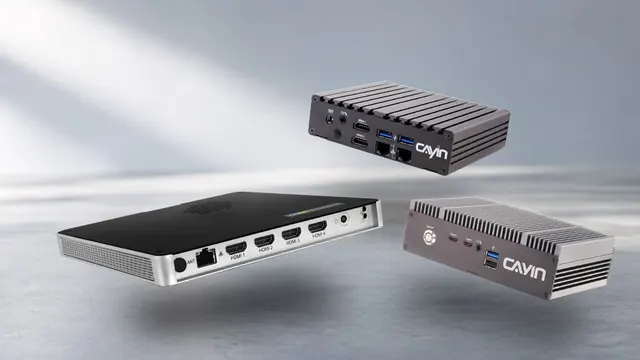
CAYIN SMP players have SMP signage software built in with no subscription, and a CMS-SE server manages up to 4,000 players. CMS-WS can run in a private cloud and also manages the CAYIN Signage Player app. For a full comparison, see Digital Signage Software: Cloud vs On-Premise Compared.
Frequently asked questions
Is GO CAYIN free?
Yes. GO CAYIN has a permanent free Basic plan for up to 2 screens, with 2 GB of storage and 3 templates. No credit card is required. Paid plans add more screens, storage and all templates.
Can I use my existing TV for cloud digital signage?
Usually yes. The CAYIN Signage Player app runs on Android, Android TV, Google TV, Samsung Tizen and Philips TVs, as well as Windows PCs and Chrome. If your TV is not supported, connect an Android device or a PC to it.
Do I need design skills?
No. GO CAYIN offers 100+ templates for restaurants, retail, corporate, events, hotels, tourism and education. You change the text, prices and photos in a drag-and-drop editor.
Can several staff members manage the screens?
Yes. The Professional Team plan lets team members share content, with member permission settings. The Basic and Professional plans have one user.
When is cloud signage not the right choice?
If you have around 100 screens or more, need screens to run without the internet, have strict IT rules or need video walls, on-premise CAYIN SMP players with a CMS-SE server are a better fit. Note that GO CAYIN templates and content cannot be exported to on-premise systems and must be recreated.
CAYIN Technology in Brief
CAYIN Technology is a 22-year professional digital signage solution and software developer from Taiwan. By offering a complete portfolio of appliance-based digital signage solutions, CAYIN dedicates itself to being a reliable partner to clients worldwide and has successfully set up various applications globally. In order to best facilitate the deployment of its products, the company also provides tailored services to satisfy the ever-growing market demand for almost limitless applications.